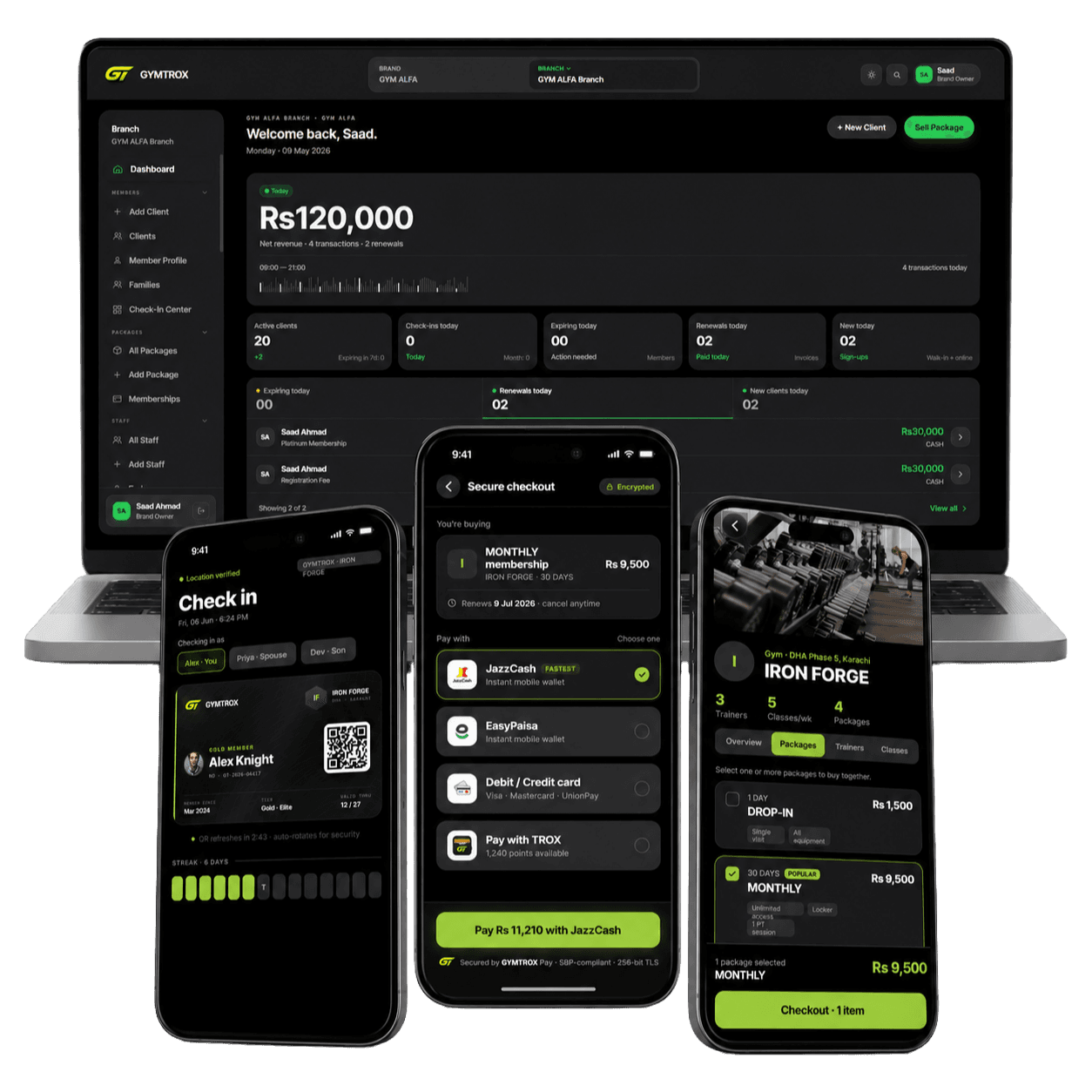
Gym access control that follows every membership.
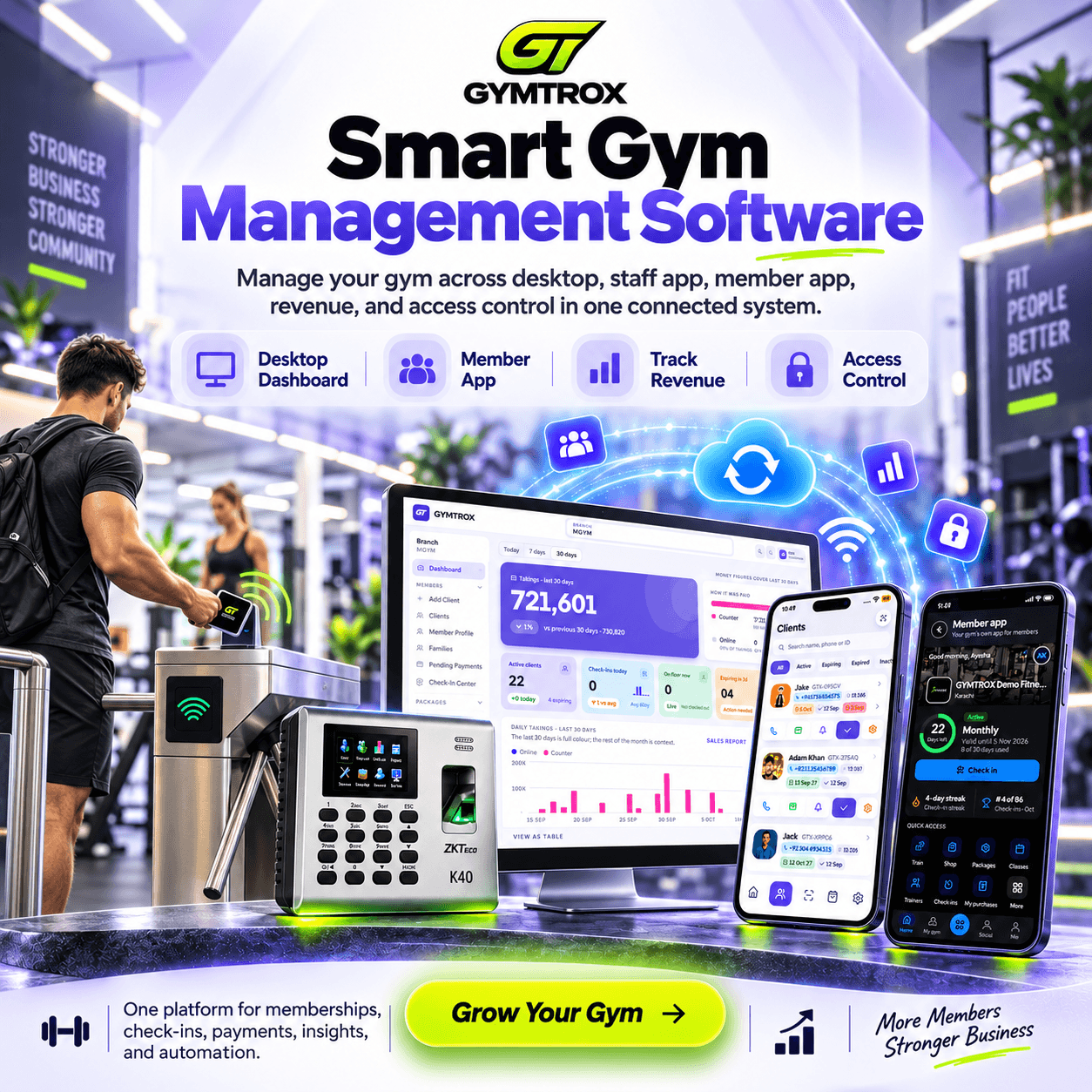
Members get in with their face, a fingerprint, an RFID card or the QR in their app — at the door, the turnstile or the front desk. GYMTROX keeps every reader in step with your memberships, so when a plan lapses, so does the access. No server at the gym, and the readers keep working when the internet doesn’t.
- Face, fingerprint, RFID card or app QR
- Readers keep working offline
- Lapsed, frozen and cancelled plans locked out
What is gym access control?
Gym access control is the system that decides who gets through a gym’s entrance. A reader at the door or turnstile checks a credential — a face, a fingerprint, an RFID card or fob, or a QR code in an app — against the gym’s membership records, and releases the lock only for members whose plan is active right now.
The reader is the easy part. What separates a good system from a door that opens for anyone holding an old card is the link to membership data: access has to start the moment someone pays and stop the moment they lapse, freeze or cancel — without anyone at the front desk remembering to do it.
The three parts of every system
- 1. A credential
Something only the member has: a face, a fingerprint, a card or fob, or a QR code on their phone.
- 2. A reader and a lock
The terminal at the entrance, and the turnstile, gate, magnetic lock or strike it releases.
- 3. Membership rules
The live record of who has paid, for which branch, until when. This is the part most systems get wrong.
How gym access control works in GYMTROX
Four steps, and staff are in none of them. The readers, the dashboard and both apps read the same membership record, so there is nothing to keep in sync by hand.
- 01
A member joins or renews
The sale is recorded at the desk, in the staff app or online in your member app. GYMTROX adds the member to the readers at every branch their plan covers — usually within a minute, with no one touching the reader.
- 02
They show a face, a finger, a card or their QR
The reader decides on the spot from the list of members it stores itself, so the turnstile or lock releases straight away — whether or not the internet is up at that moment.
- 03
Every entry becomes a visit
Entries land in the member’s attendance history and the live check-in feed. With separate entry and exit readers you get a time in and a time out, and a second scan on the same day never counts as a second visit.
- 04
The plan ends, and the door stays shut
Freeze or cancel a plan and the member is taken off the readers straight away; a plan that simply runs out is removed by the overnight pass as the date passes. Each entry is re-checked against the membership too, and anything that shouldn’t have got through is logged as a refused entry, not a visit.
Gym access control methods compared
Most gyms run two or three side by side — a fingerprint or face for regulars, a card as the backup, the desk for everyone else. GYMTROX runs all five at once, and every one of them writes to the same attendance record.
| Method | How members get in | Can it be shared? | Works offline at the door | Best for |
|---|---|---|---|---|
| Face recognition | Look at the reader | No | Yes | Hands-free entry at busy peak hours |
| Fingerprint | Touch the sensor | No | Yes | No cards to lose or replace |
| RFID card or fob | Tap at the reader | Yes — it can be handed over | Yes | Members who would rather not enrol a biometric |
| App QR code | Show the rotating QR in the member app | Hard — it rotates and works on one phone only | Needs a connection | Gyms without readers, or a desk-scanned entry |
| Front desk | Staff find the member by name or phone | Not applicable | Needs a connection | Guests, walk-ins and forgotten phones |
The table is about the credential, not the brand of reader: any card can be lent, and any live check — app QR or front desk — needs a connection at the moment of entry.
Readers, turnstiles and door locks
GYMTROX connects to ZKTeco face, fingerprint and RFID card terminals over ZKTeco’s PUSH (ADMS) protocol — the cloud mode built into their attendance and access-control firmware. The reader admits the member; its relay opens the turnstile or the lock.
No server, no static IP
The reader dials out to GYMTROX over HTTPS. There is nothing to install at the gym and no port to open on your router — enter the GYMTROX server address in the reader’s cloud settings and it starts syncing.
Already own a ZKTeco reader?
If it supports PUSH (ADMS), it can usually be connected as it is, in either time-attendance or access-control mode. Send us the model before you buy anything new.
Several doors, one gym
Run separate entry and exit readers, or more than one reader on a busy door. Each reader belongs to its branch, and visits are never double-counted.
Cards assigned with a tap
Staff tap a new card on the reader to assign it to a member — the number printed on a card is often not the one it transmits — and a returned card can be re-issued.
See what each reader holds
The dashboard lists every member on each reader, anyone pending removal, and the time each reader last synced. Re-sync any reader and see how many members were added and removed.
Turnstiles, gates and locks
The reader’s relay, or an access-control panel, drives what holds the door: a tripod turnstile, a flap or swing gate, a magnetic lock or an electric strike.
Access rules that follow the membership
The door applies the same rules as your front desk, because it reads the same record. Change a membership and the readers follow — nobody re-enrols anyone.
Active plans only
Only an active, in-date membership opens the door. Frozen, expired and cancelled plans never do.
Floor access is its own permission
Sell a locker, steam or PT-only package without gym-floor access, and it won’t open the floor.
One branch, or every branch
A membership can cover a single branch or your whole brand, and readers at each branch it covers admit the member.
Bar someone at one branch
Suspend a member at one location without touching their memberships elsewhere or their app account.
Removals jump the queue
When access is revoked, that change reaches the readers ahead of every pending addition — never stuck behind them.
Every refusal has a reason
Refused entries are logged per reader — an unknown fingerprint or card, or no active gym-access plan — so a dispute at the desk takes seconds.
Keeps working when the internet doesn’t
Every reader keeps its own list of who is allowed in, so face, fingerprint and card entry carry on through an outage. Entries are stored on the reader and uploaded when it reconnects — late uploads included — so the attendance record still ends up complete.
The trade-off is the same for every offline-capable system: a reader that is offline can’t receive changes, so a membership cancelled during an outage takes effect at that door once the reader is back online. App QR and front-desk check-in are checked live, so they need a connection.
Access control for 24/7 and unstaffed gyms
Unstaffed hours are where access control earns its keep, and where its limits show. A reader decides who may enter; it can’t stop a second person walking in behind the first. Tailgating is a job for the hardware and the layout:
- A turnstile or an interlocking door that lets one person through per credential.
- A camera on the entrance, and a sign that every visitor — guests included — has to scan.
- Fingerprint or face for night-time entry, so a lent card can’t let a non-member in.
- A regular look at who entered against the camera footage. GYMTROX shows every entry with its time and how many people are in the gym right now.
Biometric data and member privacy
Fingerprint and face templates are stored encrypted, and are shared only with the readers at the branch where they were captured — never with another gym. A reader can never create a member on its own either: an unrecognised finger or card is logged for staff, not let in.
The rules on biometric data differ by country. In the EU and the UK, biometric data used to identify someone is special-category data under the GDPR; several US states, Illinois among them, require written consent before it is collected. Wherever you operate, tell members what is collected and why, get their consent, and keep a card or app QR option for anyone who would rather not enrol. This is general information, not legal advice.
Know who came in, and when
Every admitted entry is a visit on the member’s record, so attendance reporting comes free with the door.
- A live check-in feed and an “in the gym now” count at the desk
- Every member’s full visit history on their profile
- Peak-hour and per-branch attendance reports
- Entries split by method — biometric, card, app QR or desk
Choosing a gym access control system
Readers are the visible purchase, but they are the part you can swap. The software behind them decides whether access is right every day. Ask any vendor these seven questions before you buy hardware — GYMTROX’s answers are on this page.
- 1Does access change on its own when a membership is sold, frozen, expires or is cancelled — or does someone have to update the reader?
- 2Do the readers keep working without internet, and what happens to the entries made while offline?
- 3Which credentials can run side by side: face, fingerprint, card, app QR?
- 4Will it drive the turnstile or lock you already have, and does it need a server or a static IP on site?
- 5Can one membership open several branches, and can you bar someone at one branch only?
- 6Are refused entries logged with a reason you can show the member?
- 7Where are biometric templates stored, are they encrypted, and who else can read them?
Gym access control FAQ
What is gym access control?
+
Gym access control is the system that decides who can get through a gym’s door, turnstile or gate. A reader checks a credential — a face, a fingerprint, an RFID card or fob, or a QR code in an app — against the gym’s membership records and opens only for members whose plan is active. A good system removes access automatically when a membership expires, is frozen or is cancelled.
How does gym access control work in GYMTROX?
+
GYMTROX keeps every reader’s list of allowed members in step with your memberships. When someone joins or renews, they are added to the readers at every branch their plan covers; when a plan is frozen or cancelled they are removed straight away, and an expired plan is removed by the overnight pass. Every entry is logged as a visit, and refused entries are recorded with the reason.
Does gym access control work if the internet goes down?
+
Yes, for biometric and card readers. Each reader stores its own copy of the allowed-member list, so face, fingerprint and card entry keep working offline, and the entries upload when the connection returns. An offline reader cannot receive changes, so a cancellation made during an outage takes effect when it reconnects. App QR and front-desk check-in are checked live and need a connection.
Which access control hardware does GYMTROX work with?
+
GYMTROX connects to ZKTeco face, fingerprint and RFID card terminals over ZKTeco’s PUSH (ADMS) cloud protocol, in both time-attendance and access-control modes. The reader’s relay or an access-control panel drives your turnstile, flap gate, magnetic lock or electric strike. If you already own a reader, send us the model and we will confirm it before you buy anything new.
Do I need a server or a static IP at the gym?
+
No. The reader dials out to GYMTROX over HTTPS, so there is no on-site server, no port forwarding and no static IP. You enter the GYMTROX server address in the reader’s cloud-server settings and it starts syncing members and uploading entries.
What happens when a membership expires or is frozen?
+
The member loses access. Frozen, expired and cancelled memberships never open the door, and neither does a package without gym-floor access, such as a locker or steam-only plan. A member the branch has suspended is refused even with a valid plan. When the membership is renewed or unfrozen, access comes back automatically.
Can members share a card or a QR code to get in?
+
A card or fob can be handed to someone else, which is why many gyms pair it with a fingerprint or face reader, or a turnstile that passes one person per scan. The GYMTROX member app QR rotates every few minutes and only works on the member’s verified phone, so a screenshot sent to a friend does not get them in.
Can one membership open several branches?
+
Yes. A membership can cover a single branch or every branch in the brand, and the readers at each branch it covers admit the member. A branch can also suspend one member locally without affecting their memberships at other branches.
Is GYMTROX suitable for 24/7 unstaffed gyms?
+
Access control is the foundation of a 24/7 gym: it lets members in at any hour and keeps lapsed members out without staff. A reader cannot stop tailgating on its own, so pair it with a turnstile or interlocking door that passes one person per credential and a camera on the entrance. GYMTROX logs every entry with its time and shows how many people are in the gym now.
Is it legal to use fingerprint or face recognition at a gym?
+
In most places, yes, with conditions that vary by country. In the EU and UK, biometric data used for identification is special-category data under the GDPR, and some US states, such as Illinois, require written consent before collecting it. Tell members what is collected and why, get consent, and offer a card or app QR alternative. GYMTROX stores templates encrypted and only on the readers of the branch where they were captured. This is general information, not legal advice.
How much does gym access control cost?
+
There are two parts: the readers and gates you buy for the entrance, and the software that runs them. In GYMTROX, access control is switched on per branch, because the hardware is bought for each gym. Book a demo with your branch count and reader models for a quote.
See it on your own door.
Book a free demo. Tell us your readers and gates, and we’ll show you GYMTROX access control set up for your branches.