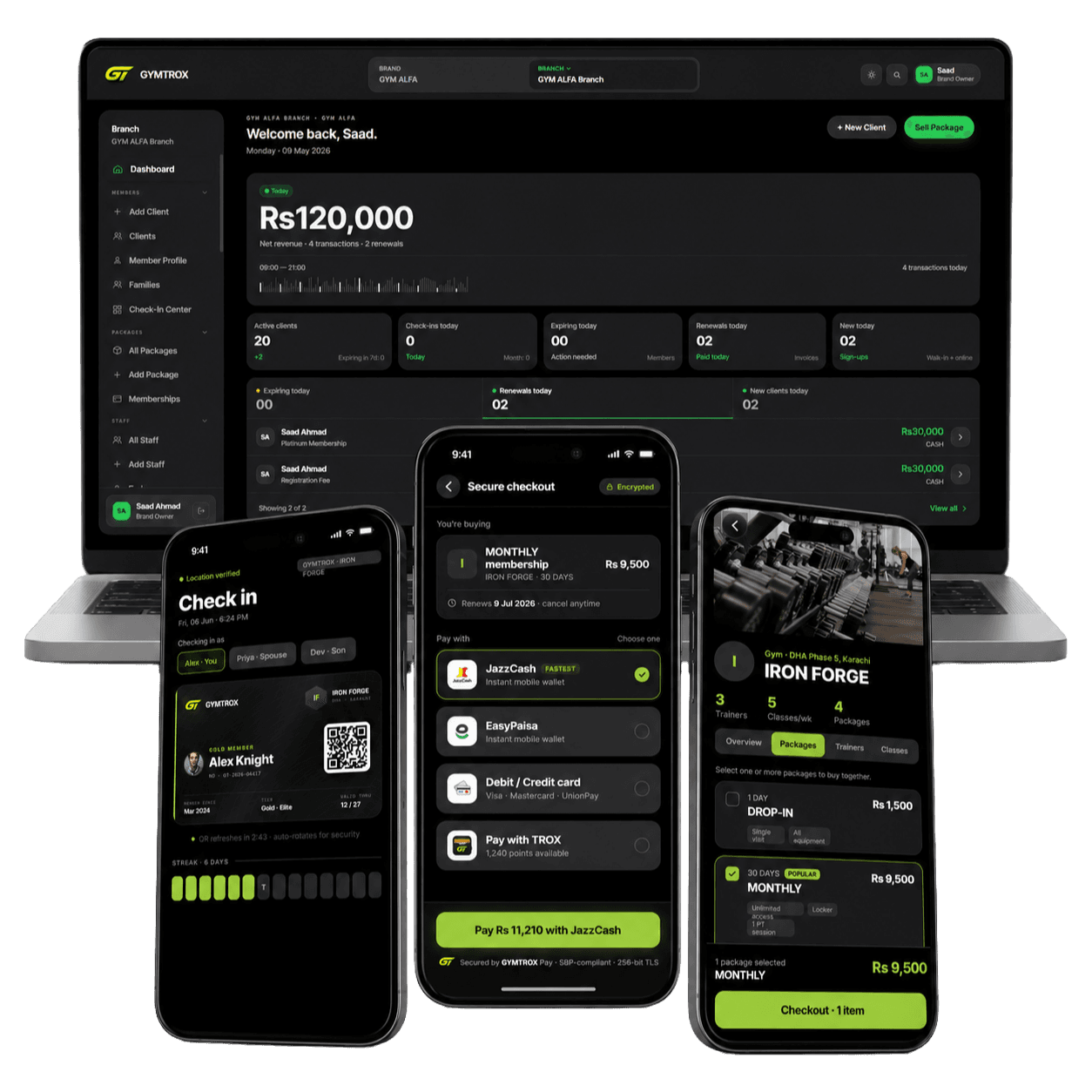
Access control systems, supplied, installed and synced.
Face and fingerprint readers from ZKTeco, Hikvision and Pioneer Time, with a magnetic lock or a turnstile, fitted by us and set up with the right software: GYMTROX for gyms, the brand’s attendance software for offices, schools and clinics. One quote, one team, one handover.



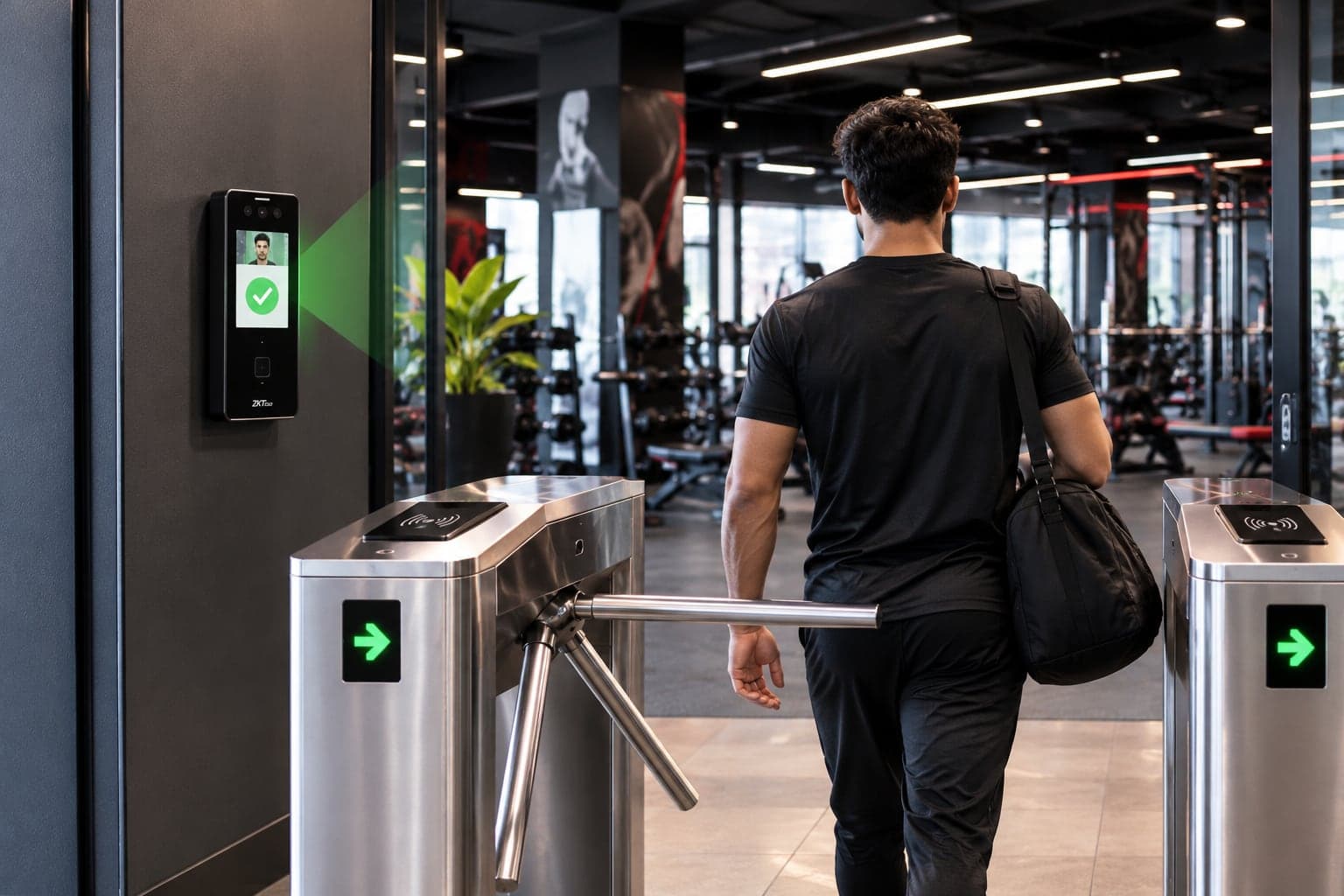
What a complete access control system includes
An access control system decides who can open a door, gate or turnstile, and keeps a record of who did. Every one is built from the same few parts. Here they are on a real entrance.
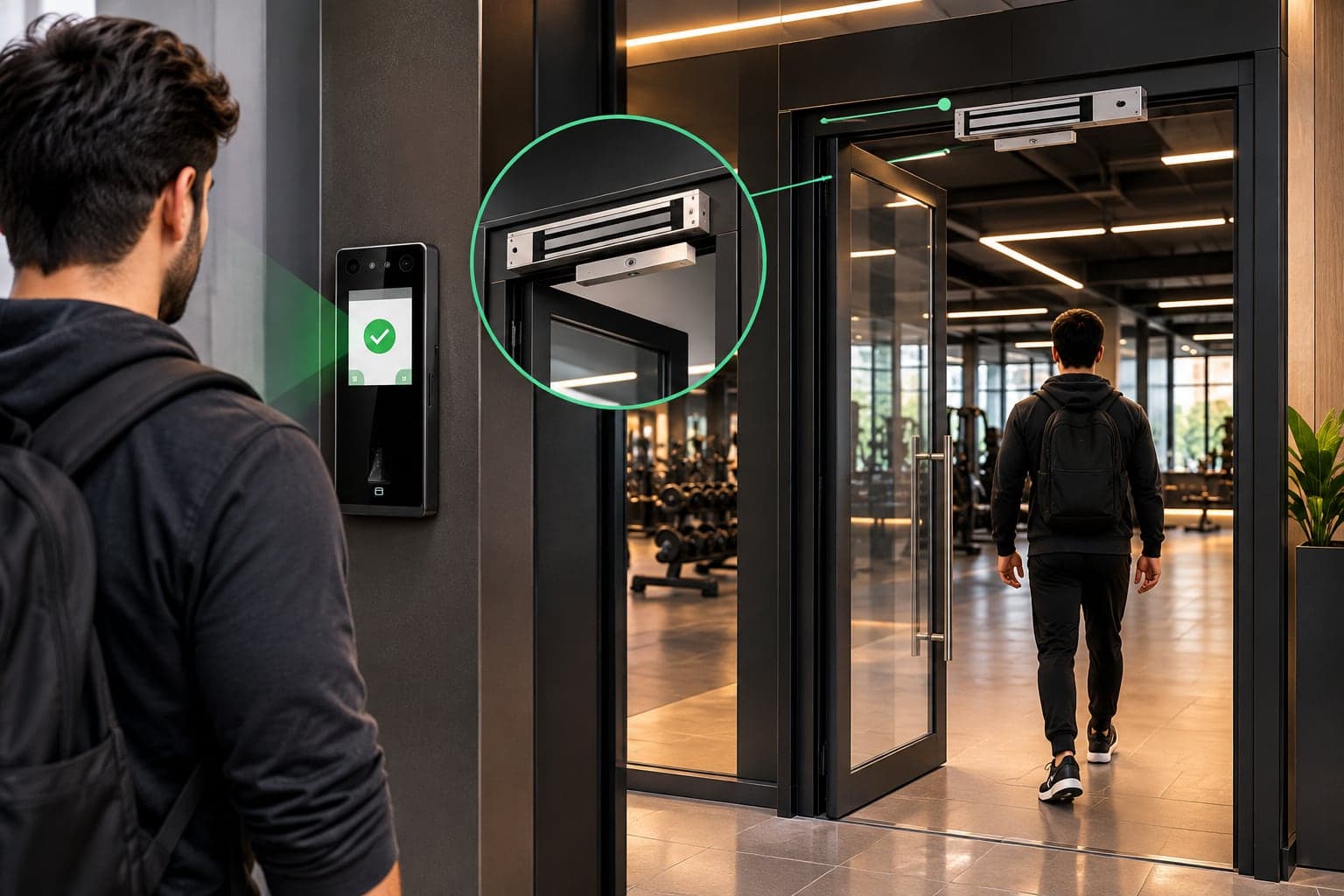
- 1
Reader
Checks a face, fingerprint, card or PIN and decides on the spot, from the people stored on it.
- 2
Magnetic lock
Holds the door shut until the reader releases it. Magnetic locks fail safe: cut the power and they let go, so nobody is locked in.
- 3
The door
Glass, wood or metal. We size the lock and its bracket to the door and frame.
Exit button. Fitted inside, so people walk out without scanning.
Power supply with battery. Keeps the reader and lock running through short power cuts.
Software. Who is allowed in, until when, and the record of who came in.
How access control works, step by step
For a gym, the readers follow the memberships on their own. Nobody at the desk has to add or remove anyone.
- 01
A member pays or renews
At the desk, in the staff app or online.
- 02
GYMTROX updates the readers
Added to every reader their plan covers.
- 03
Face, finger or card
The reader decides on the spot, even offline.
- 04
The door or turnstile opens
The reader’s relay releases the lock or arm.
- 05
The visit is logged
Time in and time out, in the dashboard.
Plan frozen, cancelled or expired? The member is taken off the readers automatically. Removals go ahead of every pending addition, and an expired plan comes off in the overnight pass as its date passes.
1. Enrol staff at the reader
Face, fingerprint or card, once.
2. They clock in at the door
The door opens and the time is stored.
3. Reports in the attendance software
Shifts, late arrivals, overtime, payroll export.
Find the right setup in three taps
Answer three questions and we’ll show the package, the readers that fit and the software that comes with it. Send it to us on WhatsApp and we’ll reply with a quote.
Turnstile Entry package
- Entry reader, plus an exit reader for time-out
- Tripod turnstile: one person per scan
- Reader-to-turnstile wiring and installation
- Entry and exit directions set on each reader
- Software set-up and staff training
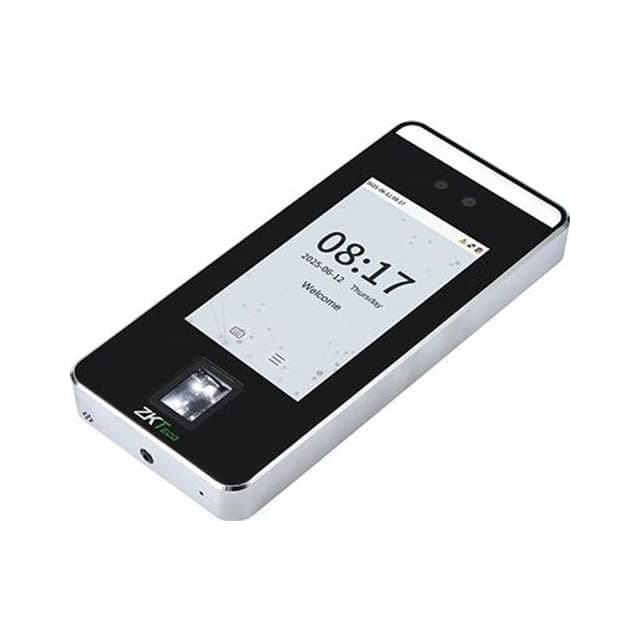 ZKTecoSpeedFace V5L
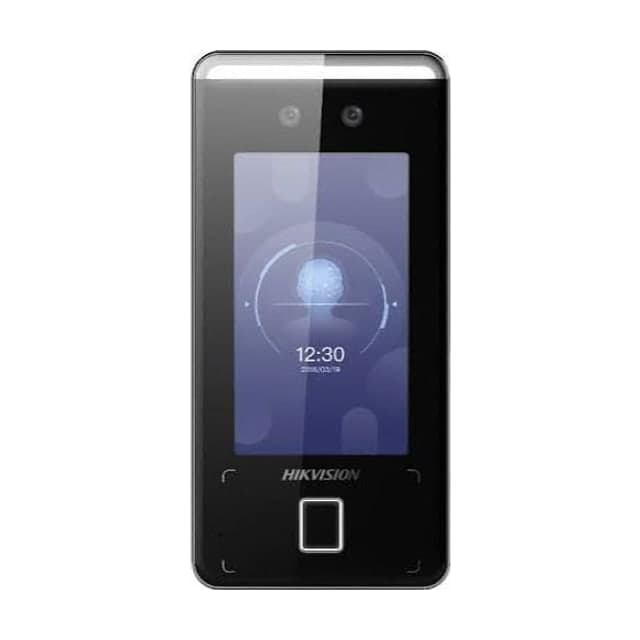 HikvisionDS-K1T341AMF
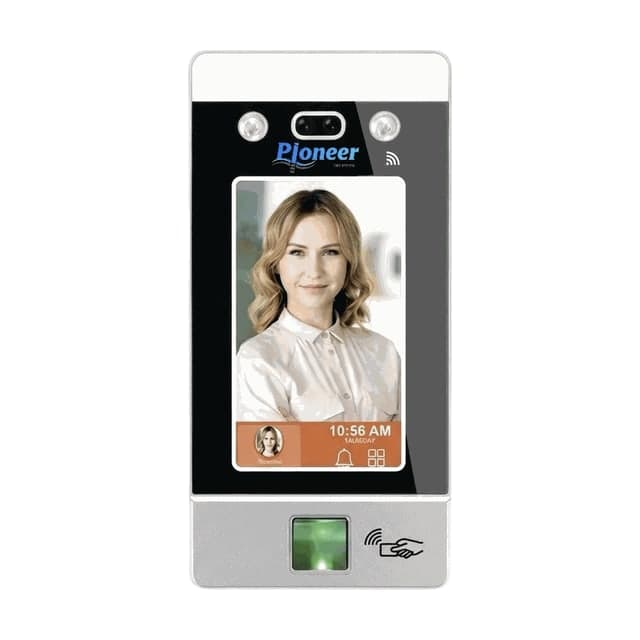 PioneerPT-1000
Software: GYMTROX, which adds and removes members on the readers as they pay, freeze or lapse.
Three packages: reader, lock and set-up
Every package is the hardware, the installation and the software set-up together. Prices aren’t listed because every site is different: send your doors and headcount on WhatsApp for an itemised quote.
Single Door
Best for: One entrance: an office, a clinic, a studio or a ladies section
- Face or fingerprint reader
- Magnetic lock with bracket, sized for your door
- 12 V power supply with backup battery
- Exit button for walking out
- Cabling and installation
- Software set-up and staff training
Turnstile Entry
Best for: Busy entrances where every person must be counted
- Entry reader, plus an exit reader for time-out
- Tripod turnstile: one person per scan
- Reader-to-turnstile wiring and installation
- Entry and exit directions set on each reader
- Software set-up and staff training
Complete Facility
Best for: Large gyms, offices, schools and buildings
- Turnstile at the main entrance
- Magnetic locks on inner doors: staff room, ladies section, stores
- A reader on every controlled door
- RFID cards matched to your readers
- Entry, exit and section doors on one system
- Priority support after handover
ZKTeco, Hikvision or Pioneer Time?
All three make reliable face and fingerprint readers. The difference that matters is how each one connects, which decides what your site’s internet needs to do.
| Feature | ZKTeco | Hikvision | Pioneer Time |
|---|---|---|---|
| Readers we supply | SpeedFace V5L, SpeedFace V4L Pro, SenseFace 3A, SenseFace 2A, SenseFace M2F-LR | DS-K1T341AMF, DS-K1T320EFWX | PT-1000, PT-20000 |
| How it connects | Reader dials out to GYMTROX (PUSH / ADMS) | GYMTROX calls the terminal (ISAPI) | Through Pioneer’s cloud, synced every minute |
| Internet at the site | Outbound HTTPS only — no static IP | Fixed IP or DDNS + one forwarded port | Internet at the terminal — no static IP |
| When the internet drops | Keeps admitting everyone stored on it | Keeps admitting everyone stored on it | Keeps admitting everyone enabled on it |
| Enrolment | Fingerprints copy to the branch’s other readers | Enrolled at the terminal | Enrolled at each terminal |
| Software for offices | ZKBio Time | iVMS-4200 / Hik-Connect | Pioneer attendance software |
| GYMTROX sync for gyms | In use today | New: tested on your door before handover | In use today |
Access control for gyms, offices, schools and more
The hardware is the same everywhere. What changes is the layout of the entrance and the software behind it.
Gyms and fitness clubs
Face or fingerprint at a turnstile, magnetic locks on the ladies section and staff room.
Software: GYMTROX adds and removes members on the readers as they pay, freeze or lapse.
Offices
A reader and magnetic lock on the main door, more on server and records rooms.
Software: The brand’s attendance software: shifts, late arrivals, overtime and payroll exports.
Schools and academies
A turnstile at the gate for the morning rush, fingerprint attendance for staff.
Software: The brand’s attendance software, set up with classes or departments.
Clinics and hospitals
Magnetic locks on pharmacy, records and staff-only rooms.
Software: The brand’s software logs who opened which door, and when.
Co-working and residential
A turnstile or locked lobby door, with RFID cards for members, residents and guests.
Software: The brand’s software manages who is allowed in and until when.
Factories and warehouses
Face or fingerprint at the staff gate, so cards cannot be swapped between workers.
Software: The brand’s attendance software for shifts and payroll.
For gyms: readers that follow every membership
A reader on its own lets in whoever was enrolled, forever. Connected to GYMTROX, it reads the same membership record as your front desk, the staff app and the member app.
- Members are added to the readers when they join or renew, at every branch their plan covers.
- Freeze or cancel a plan and they come off the readers. Removals jump ahead of every pending addition.
- An expired plan is taken off in the overnight pass as its date passes.
- Separate entry and exit readers give a time in and a time out, and a second scan never counts as a second visit.
- Every refused entry is logged with its reason, so a dispute at the desk takes seconds.
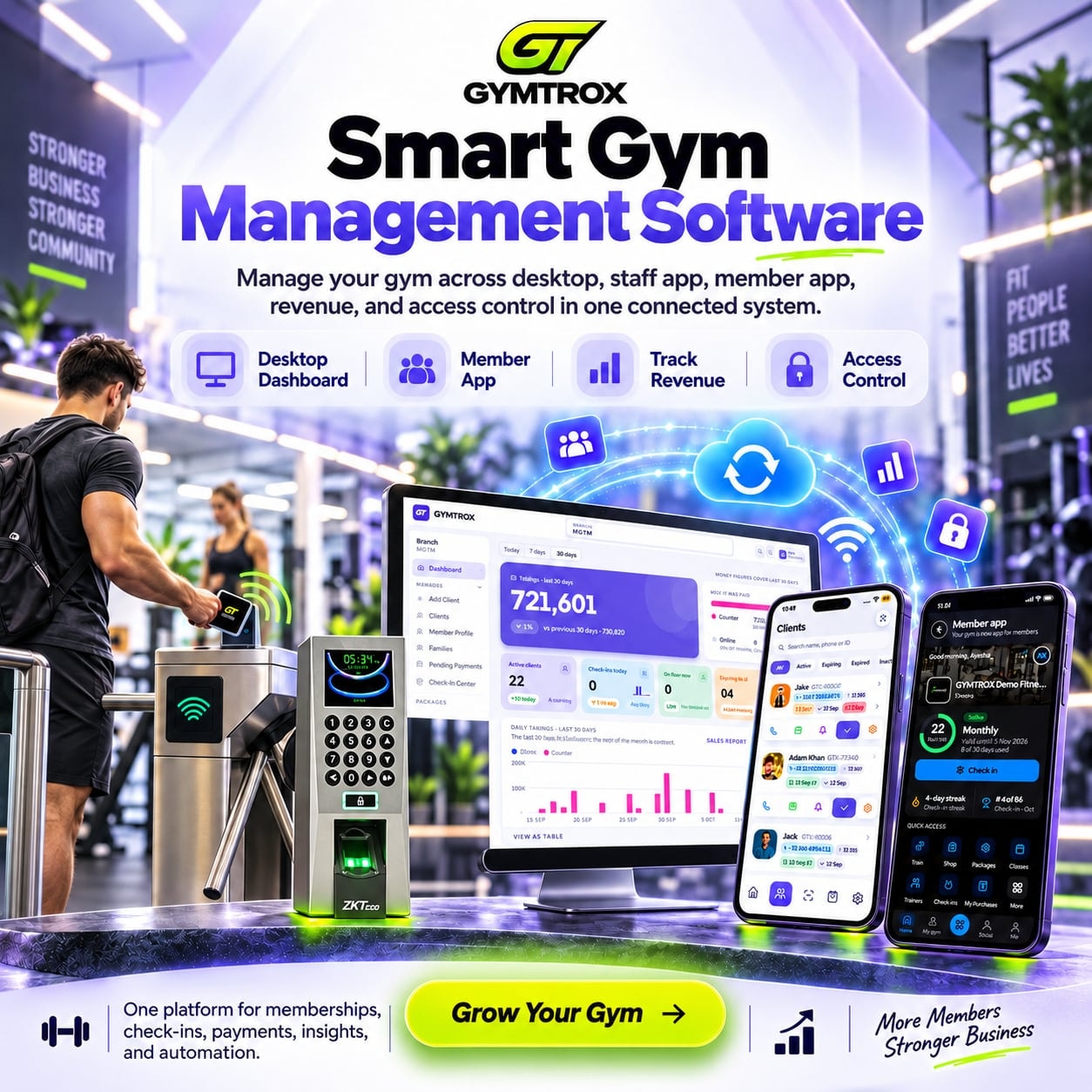
Supplied and installed across Pakistan
We deliver and install readers, turnstiles and magnetic locks across Pakistan: survey, wiring, enrolment and software set-up by one team. Send your city on WhatsApp and we’ll confirm the installation date.
- Lahore
- Karachi
- Islamabad
- Rawalpindi
- Faisalabad
- Multan
- Peshawar
- Sargodha
- Gujranwala
- Sialkot
Outside Pakistan?
We set up the software remotely and guide your local installer through wiring and enrolment. Hardware supply is available on request.
Before you buy: an access control checklist
Most access control problems are decided before the first hole is drilled. These are the seven things we check on every survey. Ask any supplier about them.
- 1Capacity: buy for your peak member or staff count plus headroom, not today’s number.
- 2One reader model per site, so a face enrolled once loads on every reader.
- 3Cards and readers on the same frequency: 125 kHz EM or 13.56 MHz Mifare.
- 4Internet at the door: outbound HTTPS for ZKTeco, a fixed IP or DDNS for Hikvision.
- 5Power: the reader and lock on the same UPS as your router.
- 6Mounting: at average face height, and never facing direct sun through glass.
- 7Safety: an exit button on every locked door, and a fire-alarm release where your rules require it.
Access control FAQ
What is an access control system?
+
An access control system decides who can open a door, gate or turnstile, and records who did. It has four parts: a reader that checks a face, fingerprint, card or PIN; a magnetic lock or turnstile that holds the entrance; power and an exit button; and software that manages who is allowed in.
What do I need for a complete access control system?
+
For one door: a face or fingerprint reader, a magnetic lock sized for the door, a 12 V power supply with a backup battery, an exit button, cabling and installation, and the software. A tripod turnstile replaces the lock where you need one person per scan. Our three packages bundle exactly that.
Magnetic lock or turnstile: which should I choose?
+
A magnetic lock suits glass and wooden doors where people arrive one at a time, such as offices, clinics and studios. A tripod turnstile lets one person through per scan and suits busy entrances where every entry must be counted, such as gyms, schools and lobbies. Many sites use a turnstile at the main entrance and magnetic locks on inner doors.
Face, fingerprint or card: which is best?
+
Face recognition is the fastest and hands-free at busy times. A fingerprint cannot be lent to someone else. A card suits people who prefer not to enrol a biometric, but it can be handed over. Most readers we supply accept two or three of these at once, so you do not have to pick just one.
Which access control brands do you supply?
+
We supply and install ZKTeco, Hikvision and Pioneer Time readers, with magnetic locks, turnstiles, exit buttons, power supplies and cards. GYMTROX is an independent supplier and integrator, so we recommend the brand that fits your doors, headcount and budget.
Do you install access control across Pakistan?
+
Yes. We supply, deliver and install access control systems across Pakistan, including Lahore, Karachi, Islamabad, Rawalpindi, Faisalabad, Multan, Peshawar and Sargodha. Send your city on WhatsApp and we will confirm the installation date.
Can you set up access control outside Pakistan?
+
Yes, for the software. We set up GYMTROX, or the brand’s attendance software, remotely and guide your local installer through wiring and enrolment. Hardware supply outside Pakistan is available on request.
What software comes with the hardware?
+
Gyms and fitness clubs get GYMTROX, which adds and removes members on the readers as they pay, freeze or lapse. Offices, schools, clinics and other buildings get the reader brand’s own attendance software (ZKBio Time, iVMS-4200 or Pioneer’s), which we set up with your staff and shifts.
Does access control keep working when the internet is down?
+
Yes. Every reader stores its own list of who may enter, so face, fingerprint and card entry keep working through an outage, and entries upload when the connection returns. Changes made while a reader is offline reach it when it reconnects.
How much does an access control system cost?
+
It depends on the brand and model of reader, the number of doors, whether you need a turnstile or magnetic locks, cable runs, cards and the software. Send your doors, headcount and city on WhatsApp and we will reply with an itemised quote.
Tell us your doors. We’ll send the setup.
How many doors or turnstiles, how many people, which city. That’s all we need for an itemised quote on WhatsApp.
ZKTeco, Hikvision and Pioneer are trademarks of their respective owners. GYMTROX is an independent supplier and integrator and is not affiliated with or endorsed by them.