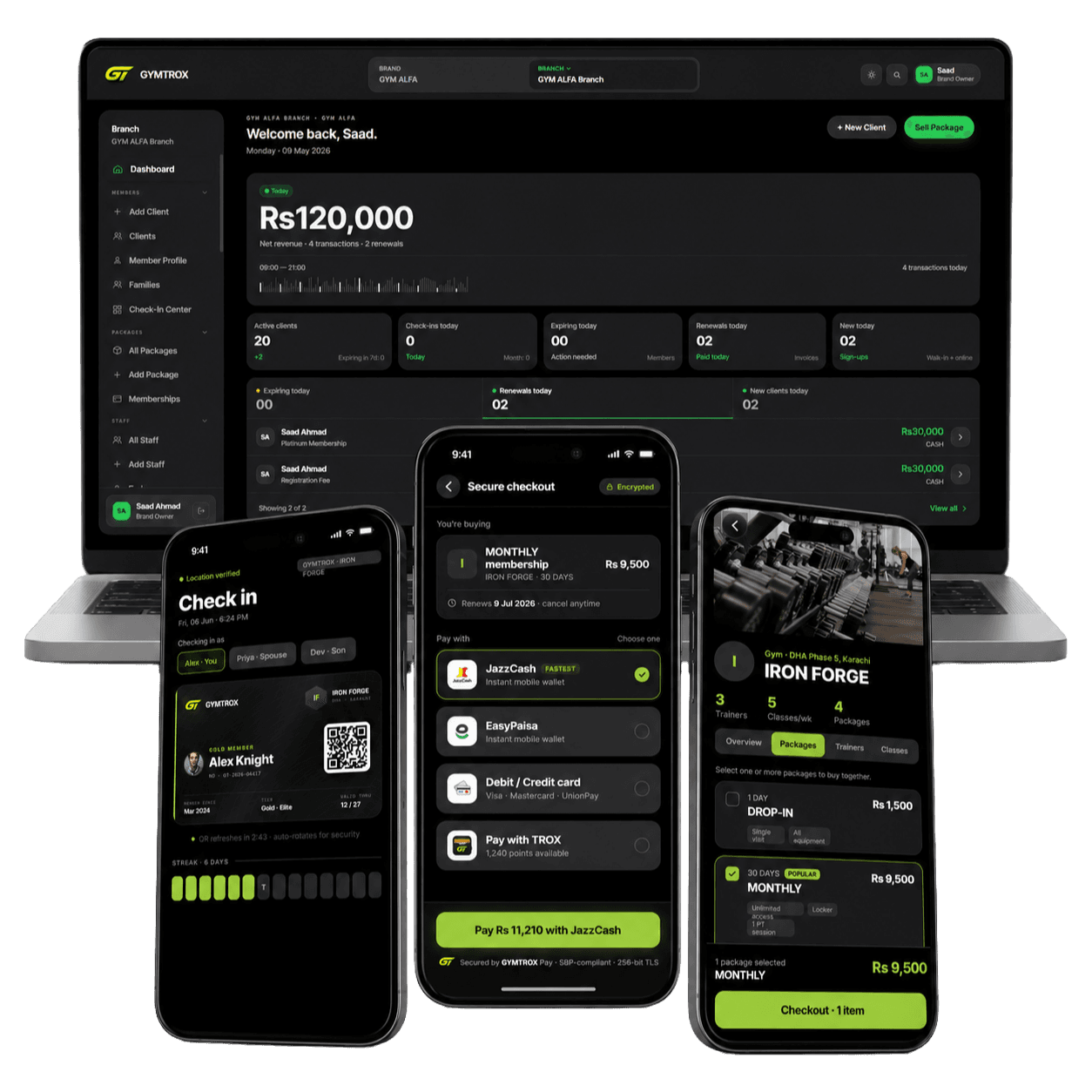
New integration
Hikvision access control, supplied and installed.
Hikvision face recognition terminals with fingerprint and card, fitted to your door or turnstile and set up for you. Offices get Hikvision’s own attendance software. Gyms can connect the terminal to GYMTROX through our new direct integration, which we test on your door before handover.
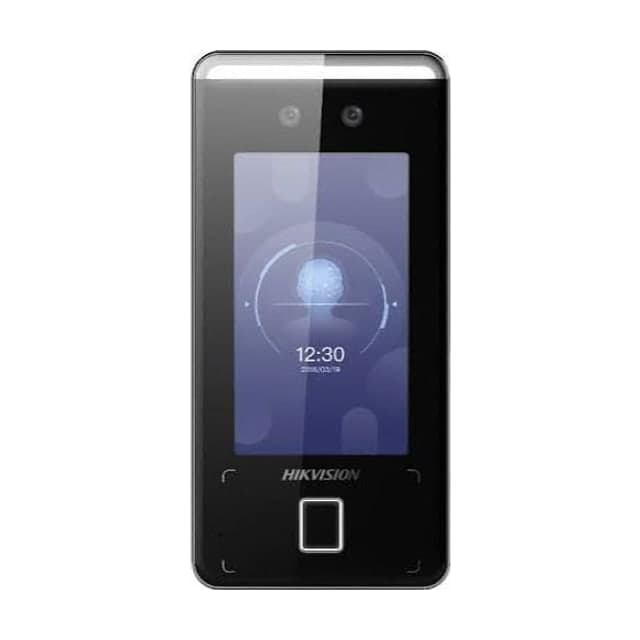
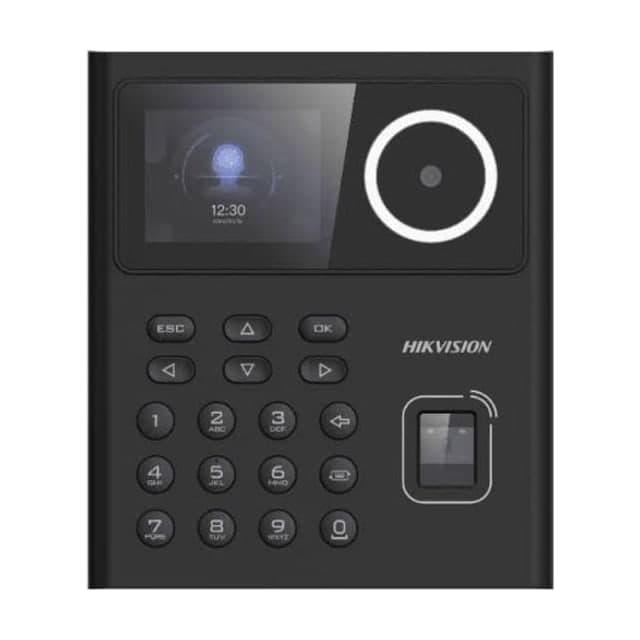
Hikvision readers we supply
Every figure below is from the manufacturer’s datasheet. Not sure which fits? Tell us your doors and headcount and we’ll recommend one.
DS-K1T341AMF
- Face
- Fingerprint
- RFID card
- Screen
- 4.3-inch touch
- Faces
- 3,000
- Fingerprints
- 3,000
- Rating
- IP65
Best for: Main entrances: large screen, 3,000-person capacity, Mifare cards
DS-K1T320EFWX
- Face
- Fingerprint
- RFID card
- PIN
- Screen
- Colour screen + keypad
- Faces
- 500
- Cards
- 1,000
- Network
- Wi-Fi and Ethernet
Best for: Single doors and small teams, with Wi-Fi
How Hikvision terminals connect to GYMTROX
GYMTROX talks to the terminal directly over ISAPI, Hikvision’s own interface. Because GYMTROX makes the call, the terminal has to be reachable from the internet. That is the one real difference from ZKTeco.
New integration. The GYMTROX link for Hikvision is new, so we test it on your own door, with real additions, removals and entries, before we hand over.
Direct to the terminal
No HikCentral server and no extra PC at your site. GYMTROX adds and removes people on the terminal itself over ISAPI.
Needs a reachable address
The site needs a fixed public IP or a DDNS name, and one forwarded port on the router. Most 4G and SIM routers cannot forward ports, so they are not supported yet.
Door rights set for you
Each member is given rights to the terminal’s doors. When access is revoked, their validity is ended so the door stays shut.
The terminal decides at the door
The terminal admits the people stored on it, so the door keeps working if the link drops. Changes arrive when it reconnects.
Tested on your door before handover
This integration is new. We connect your terminal, run real additions, removals and entries on your own door, and only hand over once all three work.
Office attendance with no link at all
An office that only needs attendance can run on Hikvision’s iVMS-4200 or Hik-Connect, with no GYMTROX connection.
A Hikvision reader on a door or a turnstile
The reader is the same either way. What holds the entrance decides how many people get through per scan.
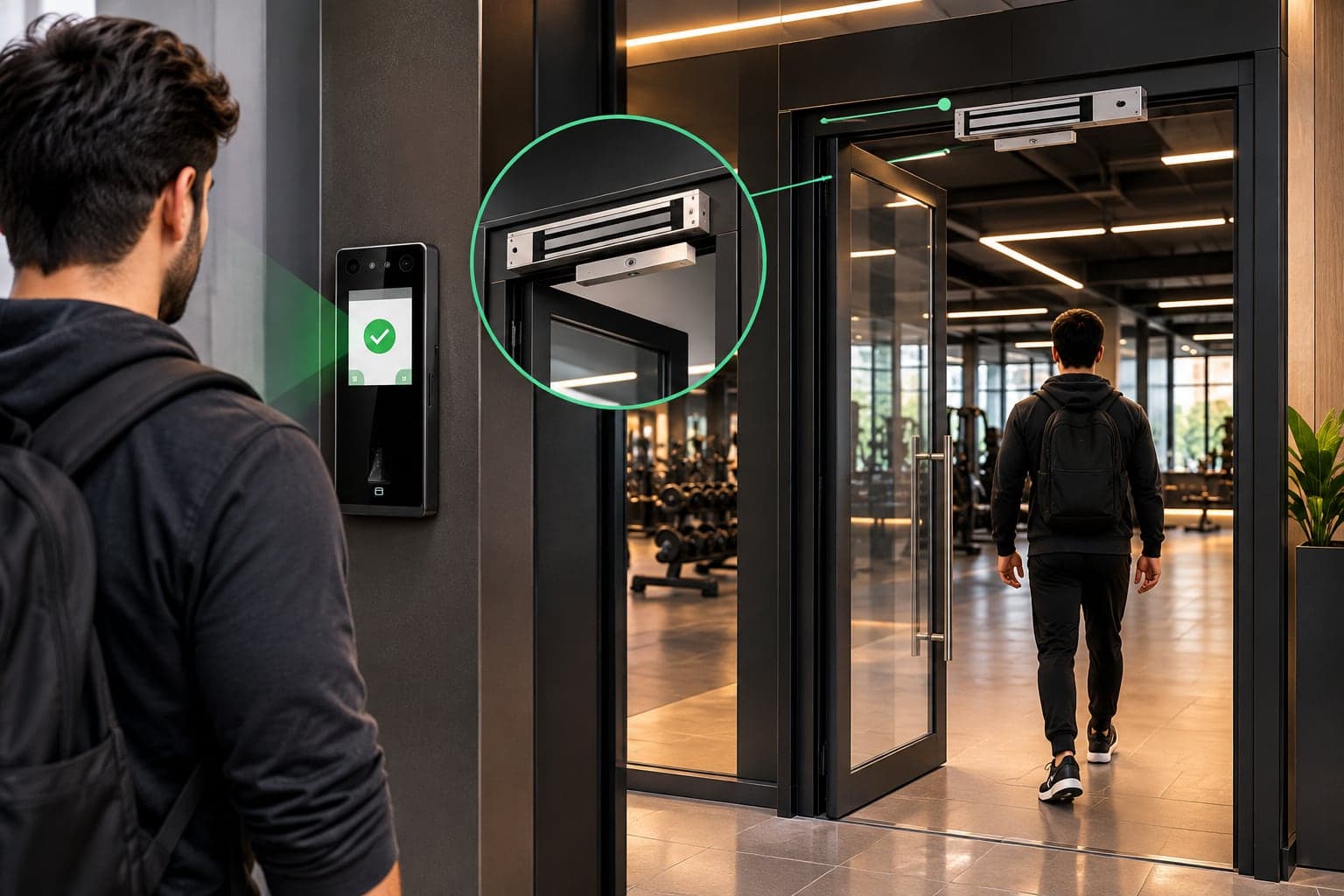
On a door, with a magnetic lock
- Glass, wood or metal doors: offices, clinics, studios, inner rooms.
- Exit button inside; the lock releases if power is cut.
- The simplest install: one reader, one lock, one power supply.
On a tripod turnstile
- One person per scan: every entry is counted, and a lent card can’t bring in two.
- Busy entrances: gyms, schools, factory gates, office lobbies.
- Add an exit reader for a time out as well as a time in.
Hikvision access control packages
Every package is the hardware, the installation and the software set-up together. Prices aren’t listed because every site is different: send your doors and headcount on WhatsApp for an itemised quote.
Single Door
Best for: One entrance: an office, a clinic, a studio or a ladies section
- Face or fingerprint reader
- Magnetic lock with bracket, sized for your door
- 12 V power supply with backup battery
- Exit button for walking out
- Cabling and installation
- Software set-up and staff training
Turnstile Entry
Best for: Busy entrances where every person must be counted
- Entry reader, plus an exit reader for time-out
- Tripod turnstile: one person per scan
- Reader-to-turnstile wiring and installation
- Entry and exit directions set on each reader
- Software set-up and staff training
Complete Facility
Best for: Large gyms, offices, schools and buildings
- Turnstile at the main entrance
- Magnetic locks on inner doors: staff room, ladies section, stores
- A reader on every controlled door
- RFID cards matched to your readers
- Entry, exit and section doors on one system
- Priority support after handover
Installation day, step by step
One visit for most single-door and single-turnstile sites. Larger sites are planned door by door.
- 01
Site survey
Doors, cable routes, power and internet checked.
- 02
Mount and wire
Reader, lock or turnstile, exit button and power.
- 03
Enrol people
Faces, fingerprints and cards captured at the reader.
- 04
Connect and test
We set the fixed IP or DDNS and port, connect GYMTROX and test it on your door.
- 05
Handover and training
Your staff run it themselves from day one.
Requirements and honest limits
What a Hikvision site needs, and what no reader can do, so nothing surprises you after installation.
What the site needs
- A fixed public IP or a DDNS name for the site, and one port forwarded to the terminal.
- A wired internet connection. 4G and SIM routers that cannot forward ports are not supported yet.
- Terminal firmware with ISAPI enabled, which is standard on the models on this page.
- Mains power with a backup battery for the terminal and the lock.
Honest limits
- The GYMTROX link for Hikvision is new. We test it on your door before you rely on it.
- The terminal opens the lock or turnstile itself. GYMTROX manages who is on it; it does not open doors remotely.
- While the link is down, changes wait. People already on the terminal still get in.
- The GYMTROX link does not use Hik-Connect or HikCentral.
Hikvision for offices: iVMS-4200 / Hik-Connect
For offices, schools and clinics we set up Hikvision’s iVMS-4200 client or Hik-Connect with your staff, shifts and attendance reports. No GYMTROX account is needed.
Supplied and installed across Pakistan
We deliver and install Hikvision readers across Pakistan: survey, wiring, enrolment and software set-up by one team. Send your city on WhatsApp and we’ll confirm the installation date.
- Lahore
- Karachi
- Islamabad
- Rawalpindi
- Faisalabad
- Multan
- Peshawar
- Sargodha
- Gujranwala
- Sialkot
Outside Pakistan?
We set up the software remotely and guide your local installer through wiring and enrolment. Hardware supply is available on request.
Hikvision access control FAQ
Which Hikvision terminals do you supply?
+
We supply the Hikvision DS-K1T341AMF (4.3-inch touch screen, face, fingerprint and Mifare card) and the DS-K1T320EFWX (face, fingerprint, card and keypad, with Wi-Fi), together with magnetic locks, turnstiles, exit buttons, power supplies and cards. Other models are available on request.
Does GYMTROX work with Hikvision terminals?
+
Yes, through a new direct integration over Hikvision’s ISAPI interface. Because it is new, we connect it and test it on your own door before handover. It needs a fixed public IP or a DDNS name and one forwarded port at the site.
Why does Hikvision need a fixed IP when ZKTeco does not?
+
A ZKTeco reader dials out to GYMTROX. With Hikvision, GYMTROX calls the terminal, so the terminal must be reachable from the internet through a fixed public IP or a DDNS name and a forwarded port. Most 4G and SIM routers cannot forward ports, so they are not supported yet.
Do you use Hik-Connect or HikCentral?
+
Not for the GYMTROX link, which talks to the terminal directly. For an office that only needs attendance, we can set up Hikvision’s own iVMS-4200 or Hik-Connect instead.
Can a Hikvision terminal open a magnetic lock or a turnstile?
+
Yes. The terminal’s door output releases a magnetic lock, an electric strike or a turnstile. We wire it and test it on the day of installation.
Does a Hikvision terminal keep working if the internet drops?
+
Yes. The terminal admits the people stored on it, so the door keeps working. Changes made in GYMTROX reach the terminal when the connection returns.
How many people can a Hikvision terminal hold?
+
The DS-K1T341AMF holds up to 3,000 faces, 3,000 fingerprints and 3,000 cards. The DS-K1T320EFWX is a smaller value-series terminal for up to 500 faces. We size the terminal to your headcount before quoting.
How much does a Hikvision access control system cost?
+
It depends on the terminal, the number of doors, whether you need a turnstile or magnetic locks, cabling and the software. Send your doors, headcount and city on WhatsApp and we will reply with an itemised quote.
Tell us your doors. We’ll send the setup.
How many doors or turnstiles, how many people, which city. That’s all we need for an itemised quote on WhatsApp.
ZKTeco, Hikvision and Pioneer are trademarks of their respective owners. GYMTROX is an independent supplier and integrator and is not affiliated with or endorsed by them.